Skip to content
CaliCAD Sign in
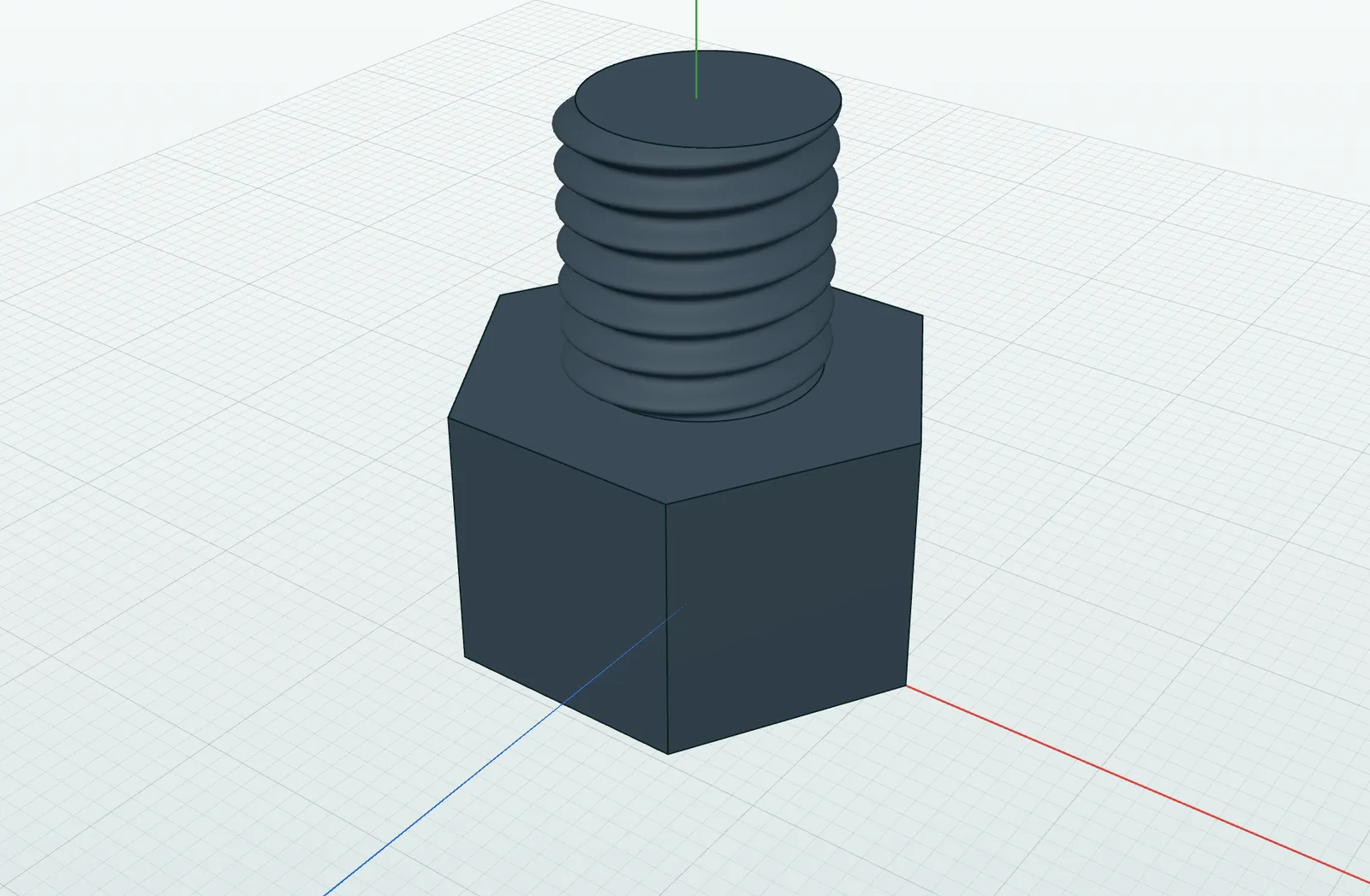
Thread adapter, rendered in CaliCAD

Templates

Thread adapter

The adapter converts one thread to another: an internal thread in the hexagon at the bottom, a stud with an external thread on top. For each side you enter nominal diameter and pitch, for example 6 and 1 mm for M6, 8 and 1.25 mm for M8, 10 and 1.5 mm for M10, 12 and 1.75 mm for M12 or 16 and 2 mm for M16; inch threads with a 60° flank angle work the same way, for example 6.35 and 1.27 mm for a 1/4 inch tripod thread. The threads are rounded for printing: in the lengthwise section they are a sine wave with the flank slope of the metric profile, and by calculation they keep clear of a standard screw or nut everywhere. The print clearance makes the external thread thinner in diameter and the internal thread wider.

Default size on the print bed: 21.9 × 19 × 24 mm

Open in CaliCAD

Parameters

These values are in CaliCAD under Parameters. Every change recalculates the whole part. The names stay as they appear in the app.

MeaningNameDefault
External thread: nominal diameteraussen_d12 mm
External thread: pitchaussen_p1.75 mm
External thread: length of the studaussen_l12 mm
Internal thread: nominal diameterinnen_d8 mm
Internal thread: pitchinnen_p1.25 mm
Internal thread: depthinnen_l10 mm
Width across flats of the hexagonschluesselweite19 mm
Print clearance on the diameterspiel0.3 mm

Printing

Hexagon on the bed, stud up, layer height 0.15 mm at most. Print a test piece first and adjust the clearance until the mating part runs by hand.

PETG or PLA, without supports. Solid 4.3 cm³, about 5 g of PLA at 100 % infill.