Help · Design · Basics
Copy and paste
Copies sketch elements with their constraints and dimensions, or whole bodies, and pastes them again.
Ctrl+C, Ctrl+X, Ctrl+V
How it works
- Select sketch elements or bodies and press Ctrl+C. In a sketch, Ctrl+X cuts.
- In a sketch, Ctrl+V pastes the copy to the right of the original and selects it; each further paste moves one width further.
- Bodies: Ctrl+V opens Move/Copy with copy turned on. Enter the distance and confirm.
- File → Save view as image saves a picture of the current view as PNG.
Sketch elements bring along the constraints and dimensions that only concern them. Dimensions get parameter names of their own and keep their expression.
The clipboard only works within CaliCAD and until you close it; it exchanges nothing with other programs.
Example: Two identical feet
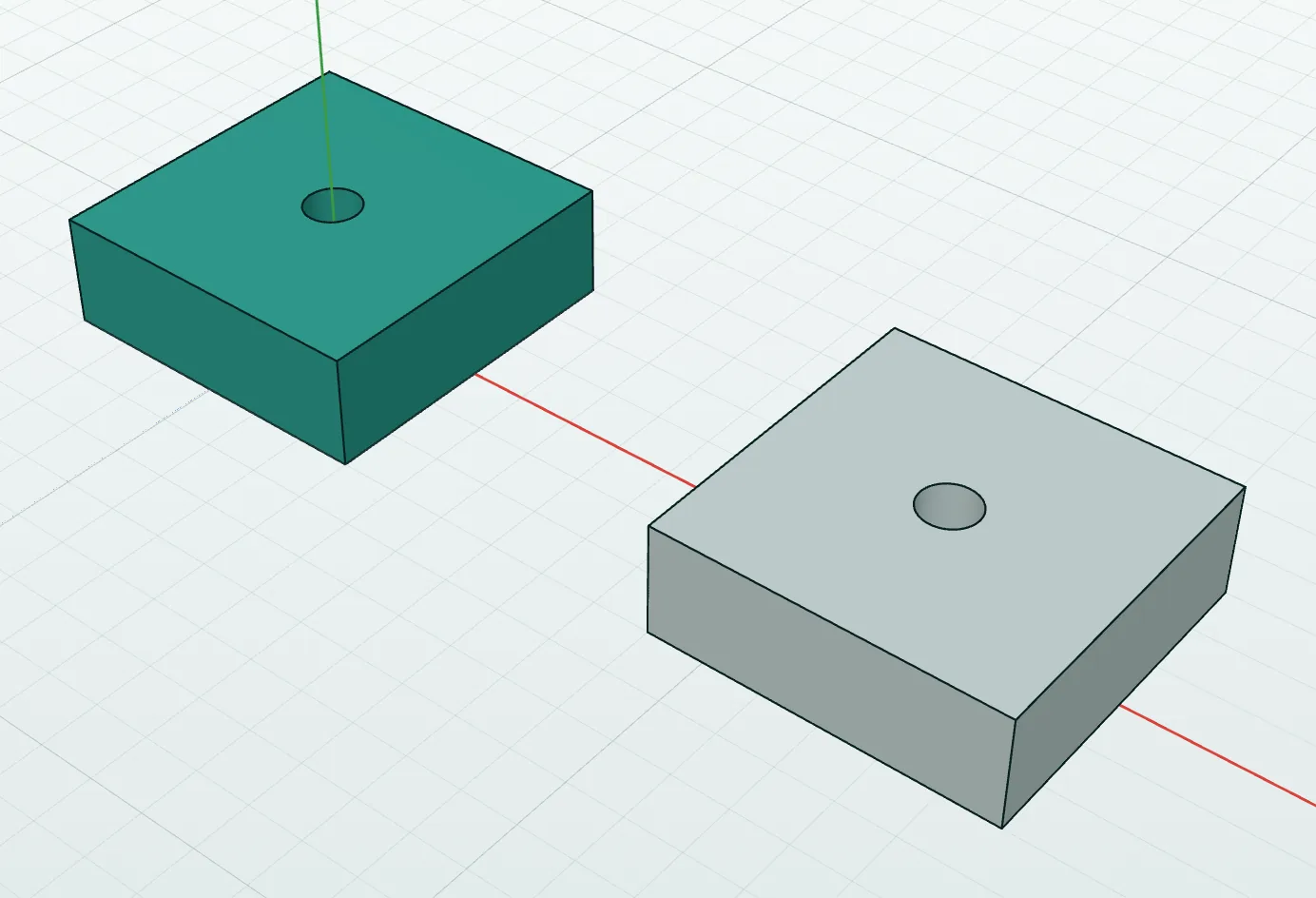
A 30 × 30 × 10 mm device foot with a hole. Copy and paste places a second foot 60 mm next to it.
- Box on XZ: 30 × 30 × 10 mm; Cylinder Ø5 × 10 mm, operation Cut.
- Click the foot, Ctrl+C, Ctrl+V.
- In the dialog, X distance 60 mm, confirm.
Download kopieren-einfuegen.calicad and load it in CaliCAD with File → Open.
Frequently asked questions
Where does pasted sketch geometry land? To the right of the original, selected, so that you can move it straight away. Each further paste moves one width further.
Can I copy between two documents? Within CaliCAD yes, as long as the window is open. The clipboard exchanges nothing with other programs.
Is Copy and paste free in CaliCAD? Yes. Copy and paste is part of the design tools, which you use with a free account without a time limit. A plan adds the example file; a new account gets everything in Maker for the first 7 days.